Interface

Excel window parts

Excel Window Parts

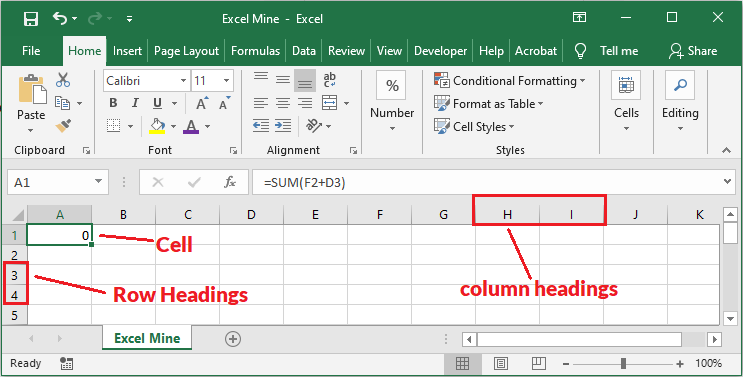
Learn Excel Window Parts Title Bar | Quick Access Toolbar | Tabs | Ribbon | Name Box | Column Headings | Sheet Tabs Welcome to our free “Excel Basics” course. In the first lesson, we are going to explore the most frequently used window parts of Microsoft Excel. Knowing these parts by their names will […]

Excel Window Parts Read More »
insert checkbox in excel

How to insert Checkbox in Excel

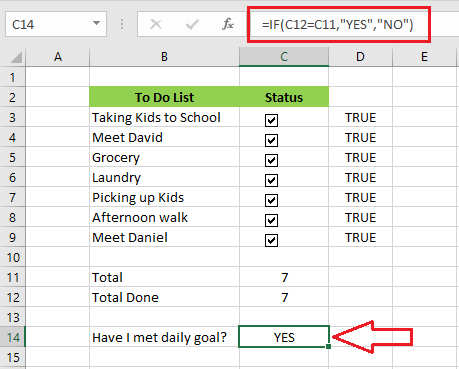
How to insert checkbox in Excel Link a Checkbox | Create a To-Do List The checkbox in Excel is very useful to create a checklist. In this lesson, we are going to discuss how to insert checkbox, link a checkbox, and create a checklist. Insert a Checkbox 1. On your excel Developer tab, click “Insert.”

How to insert Checkbox in Excel Read More »

excel status bar

How to use Excel Status Bar

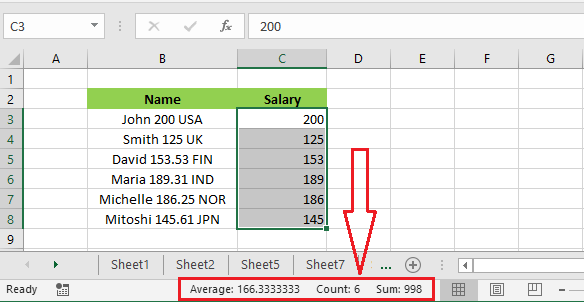
Using Excel Status Bar Customize Status Bar The Excel status bar locates at the bottom of the Excel window and it displays quite useful information. Status bar displaying statistics The status bar can display the average, count, and sum when you select a range of cells. 1. Select the cell range C3:C8. 2. Take a

How to use Excel Status Bar Read More »

customize excel ribbon

How to add Developer Tab in Excel

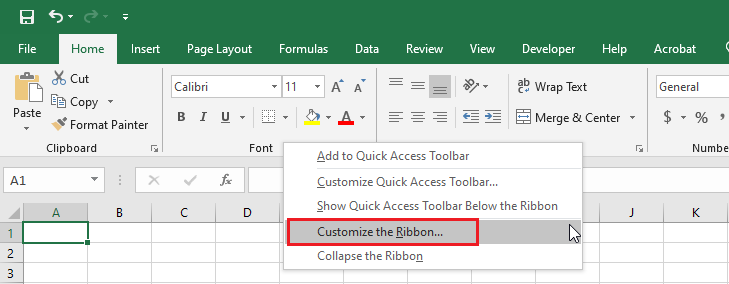
Turn on Excel Developer Tab The Developer tab in Excel is used to create a macro or insert controls. You can add the Developer tab by following the steps below. 1. Right-click anywhere on the Ribbon and then click “Customize the Ribbon.” 2. Under Customize the Ribbon, make sure that “Main Tabs” is selected. 3.

How to add Developer Tab in Excel Read More »

customize excel ribbon

How ot Customize Ribbon in Excel

Customize Ribbon in Excel If you like to customize Ribbon in Excel by creating your own tab and adding commands to it, follow the steps below. 1. Right-click anywhere on the ribbon and then click “Customize the Ribbon.” 2. Click New Tab. 3. You can rename the “New Tab” by right-clicking on it and then

How ot Customize Ribbon in Excel Read More »

use Excel Ribbon

How to use Excel Ribbon

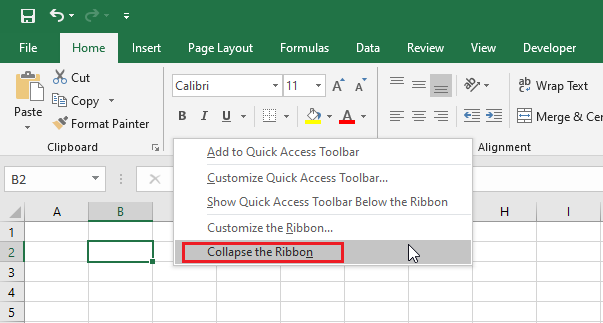
Excel Ribbon Groups| Using Ribbon | Collapse Ribbon At the start, Excel automatically selects the Home tab of the ribbon for you. Let’s learn more about Ribbon. Tabs Generally speaking, the tabs on the ribbon are File, Home, Insert, Page Layout, Formulas, Data, Review, View, and Help. However, additional tabs may appear when you add

How to use Excel Ribbon Read More »