How to Center a Sheet on the Page
By default, Excel prints your data in the top-left corner of the page. To print it in the middle of the page instead:
-
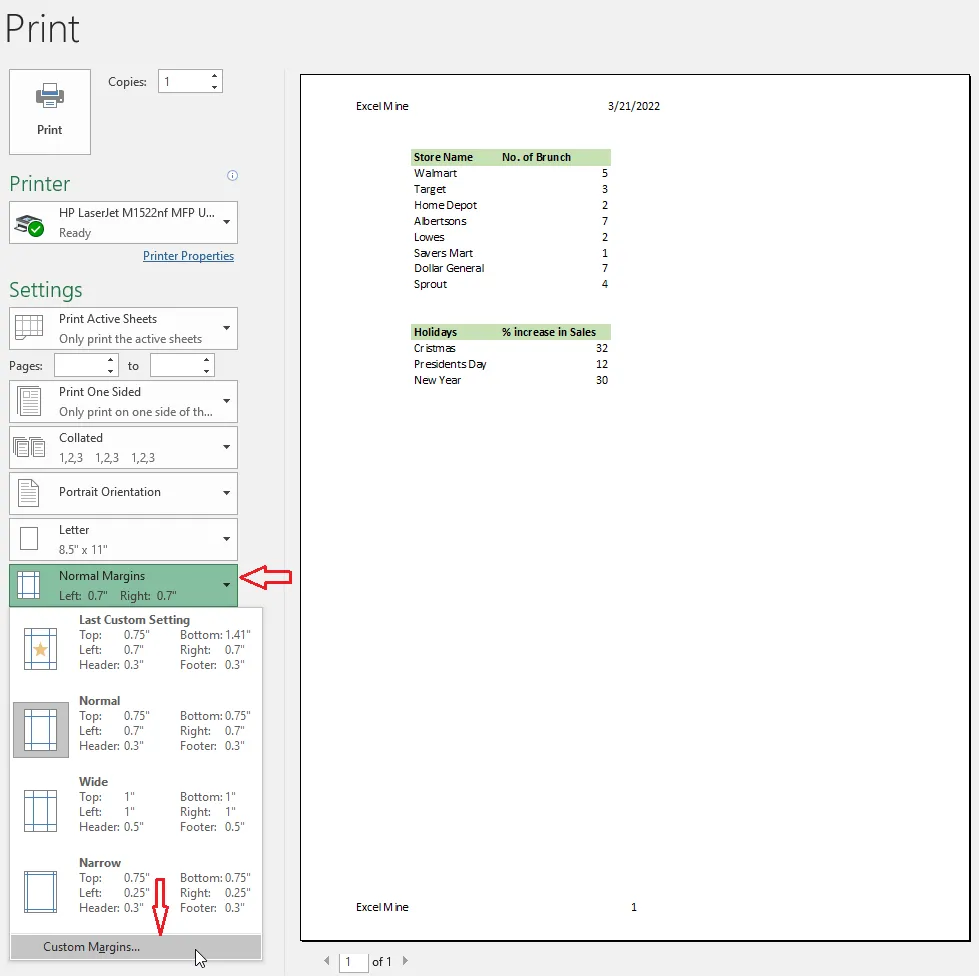
Click File > Print. Under Settings, click the margins list (Normal Margins) and choose Custom Margins.
-
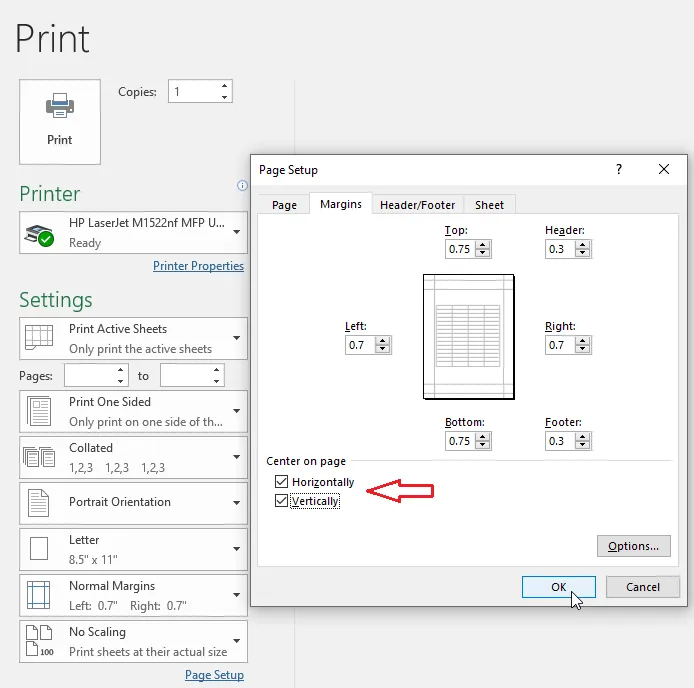
In the Page Setup dialog box, under Center on page, tick Horizontally and Vertically.
-
Click OK.
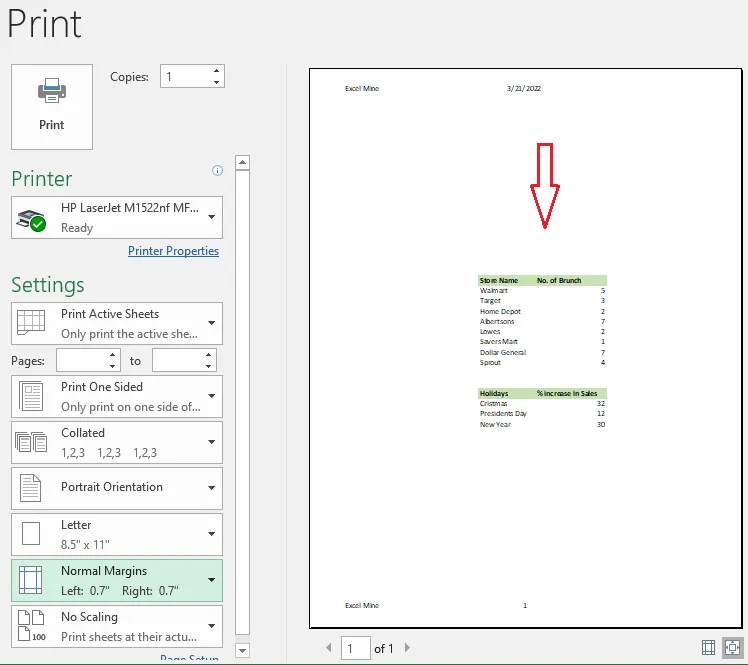
Result: the print preview shows your data in the center of the page.
Tip: For most tables, Horizontally alone looks best, since it keeps the table near the top of the page.