How to View Two Worksheets at Once
Sometimes you need to look at two sheets of the same workbook at once, for example a data sheet and its summary. Open a second window of the workbook and arrange them side by side.
-
Open the workbook.
-
On the View tab, click New Window.
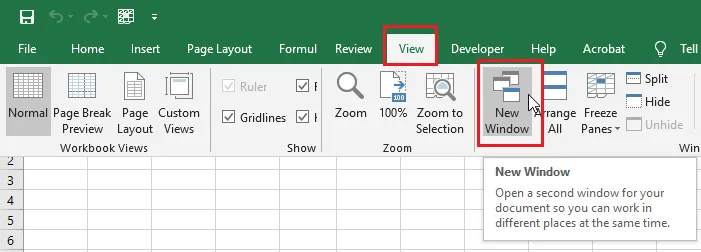
Excel opens a second window of the same workbook. The title bar shows :1 and :2 after the name.
-
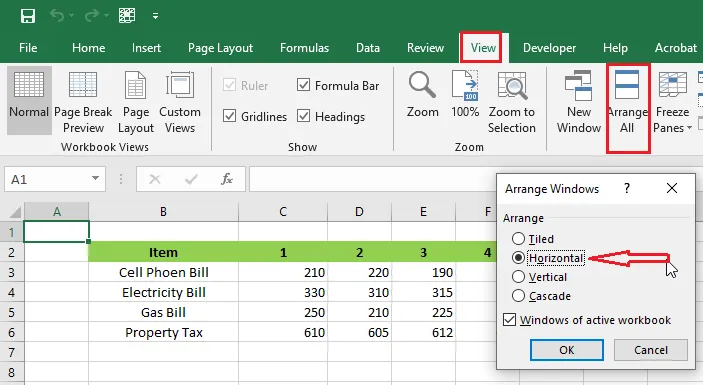
On the View tab, click Arrange All.
-
Choose a layout. Here we choose Horizontal.
-
Click OK.
Result: the two windows are stacked on screen. Click a different sheet tab in each one to see two sheets at once. It’s still one file, so a change made in either window shows in both straight away.
Tip: To compare two different workbooks instead, see How to View Multiple Excel Workbooks.