How to Make an HbA1c Calculator in Excel
The HbA1c (or A1C) test reflects your average blood glucose over the past few months. In this lesson, you’ll build a calculator that estimates A1C from an average glucose level, in mg/dL or mmol/L.
-
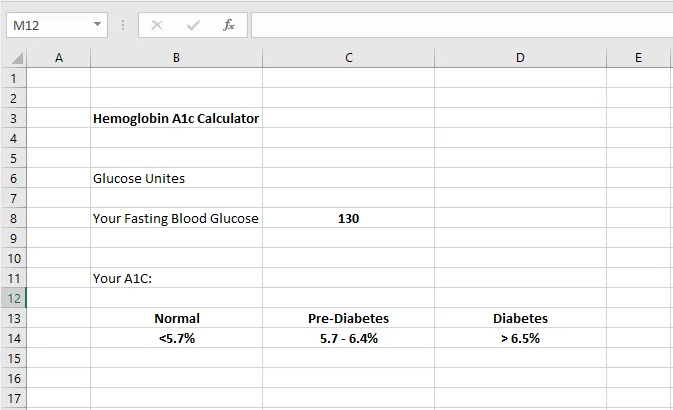
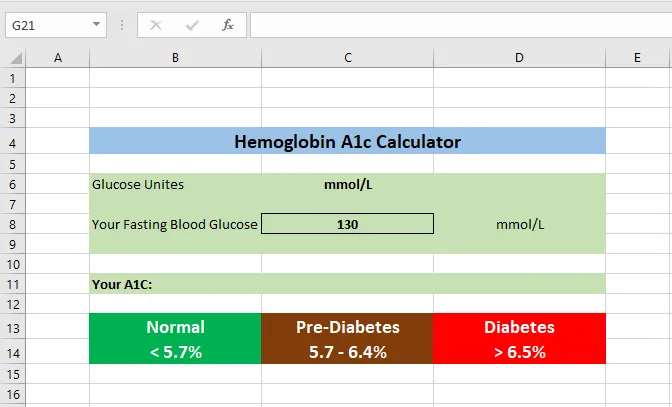
Type the labels into your sheet as shown.
-
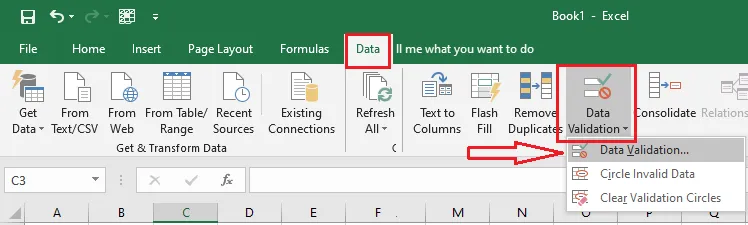
Select cell C6, and on the Data tab, click Data Validation.
-
Under Allow, choose List. In Source, type
mg/dL,mmol/L.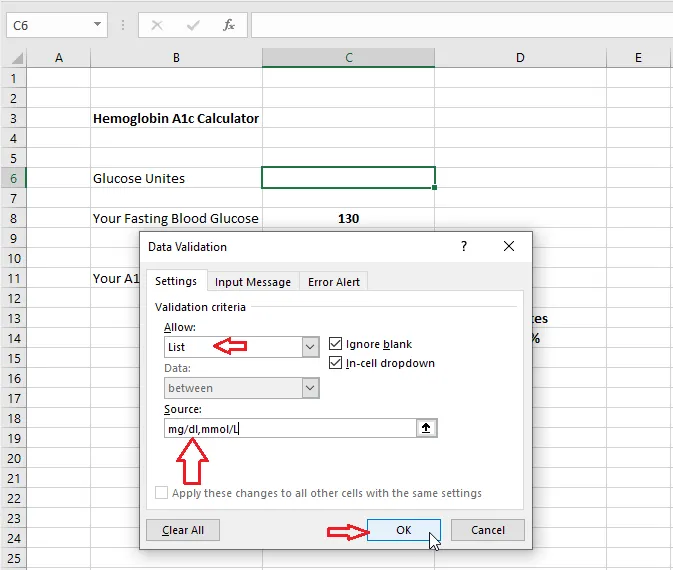
-
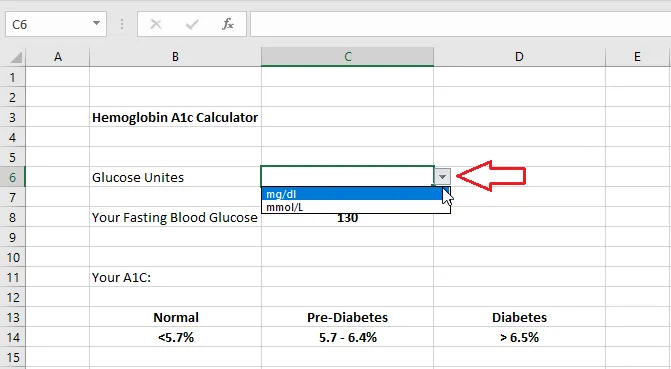
Click OK. C6 now has a drop-down list of units.
-
In D8, type
=C6so the unit appears next to the glucose box. -
Add formatting (fills, borders, font sizes) to give it a calculator look.
-
In C11, type the formula:
=IF(C6="mg/dL",(46.7+C8)/28.7,(2.59+C8)/1.59)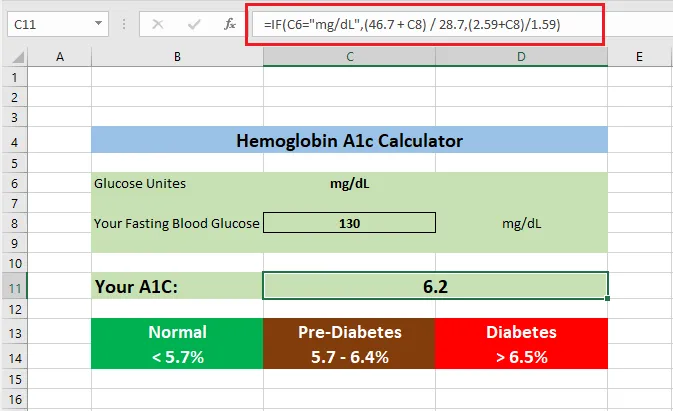
This is the standard formula linking estimated average glucose (eAG) and A1C, rearranged to solve for A1C. There’s one version for each unit.
-
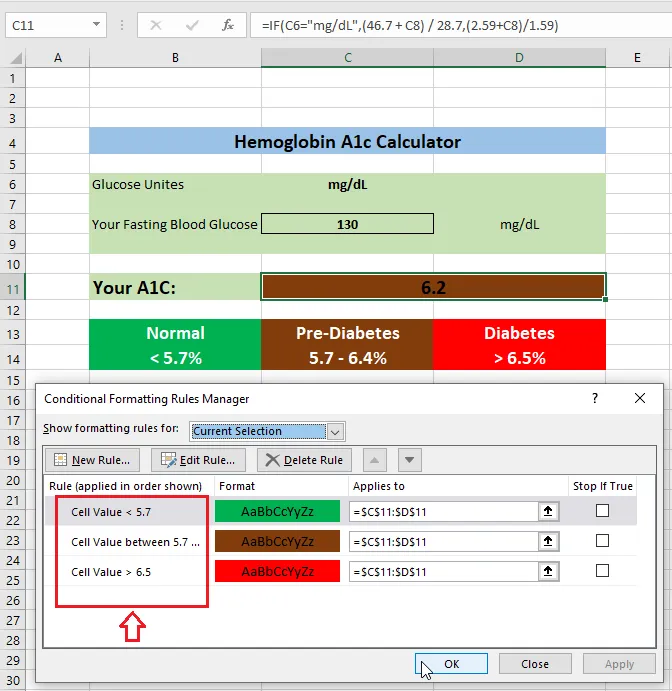
Select C11 and click Home > Conditional Formatting > New Rule to color the result by range (Normal, Pre-Diabetes, Diabetes).
-
Click OK.
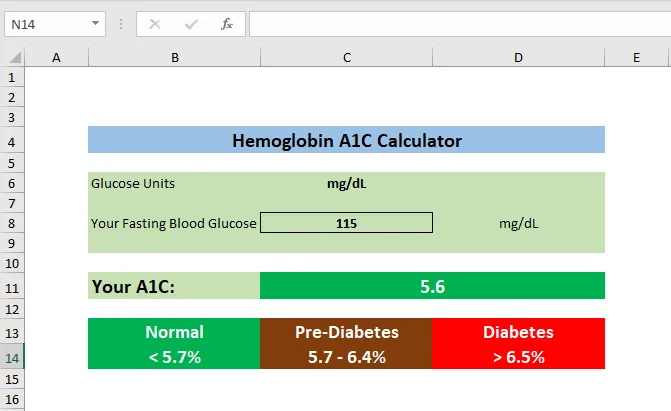
Result: the finished calculator:
Note: This is a spreadsheet exercise that gives a rough estimate. It isn’t a medical test or medical advice. Only a lab A1C test gives your real result.
Download the template to compare: excel-hba1c-calculator.xls