How to Zoom In and Out in Excel
Zooming makes the worksheet bigger or smaller on screen. It doesn’t change your data or how the sheet prints.
Zoom with the status bar
Click the + or − buttons at the bottom-right of the window, or drag the slider between them. The percentage beside it shows the current zoom.
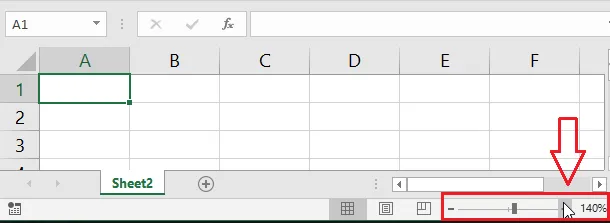
Tip: Hold Ctrl and turn the mouse wheel to zoom quickly.
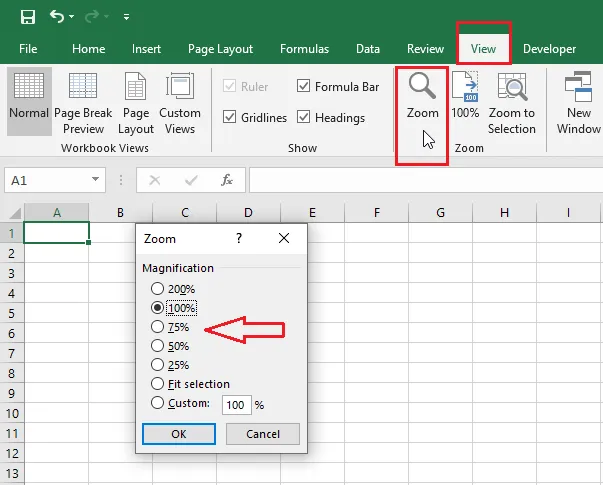
Zoom to an exact percentage
-
On the View tab, click Zoom.
-
Choose a magnification, or type your own under Custom.
-
Click OK.
Zoom to a selection
-
Select the cells you want to fill the screen.
-
On the View tab, click Zoom to Selection.
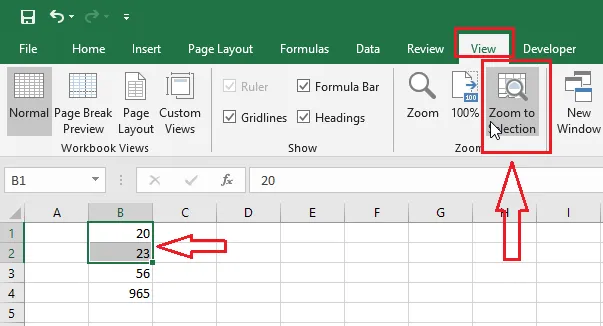
Excel zooms so the selected range fits the window exactly. Click 100% on the View tab to return to normal size.