How to Print Gridlines and Headings
By default, Excel doesn’t print the gridlines or the row and column headings (A, B, C… and 1, 2, 3…). You can turn both on, which helps when you print a sheet to check or discuss it.
-
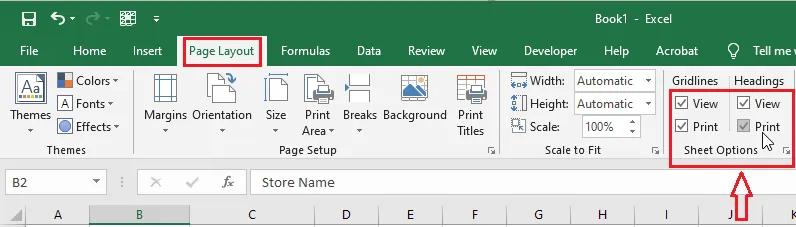
Go to the Page Layout tab.
-
Under Gridlines and under Headings, tick Print.
-
To check, click File > Print.
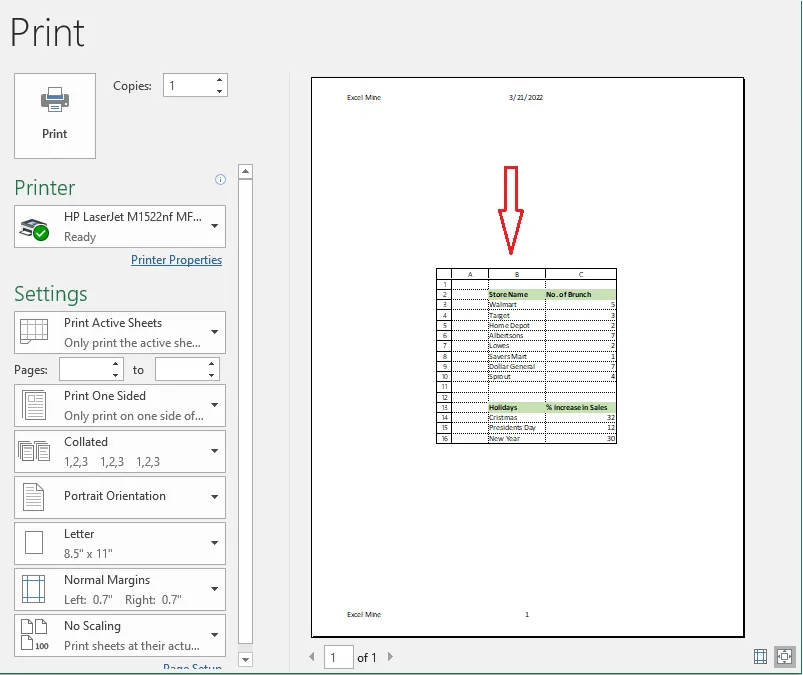
Note: Printed gridlines are light. For clear lines around a table, add borders instead.