How to Save in Excel 97-2003 Format
Excel saves files in the .xlsx format by default. If someone needs to open your file in a very old version of Excel (2003 or earlier), save a copy in the Excel 97-2003 (.xls) format.
Save one file as 97-2003
-
Open the workbook.
-
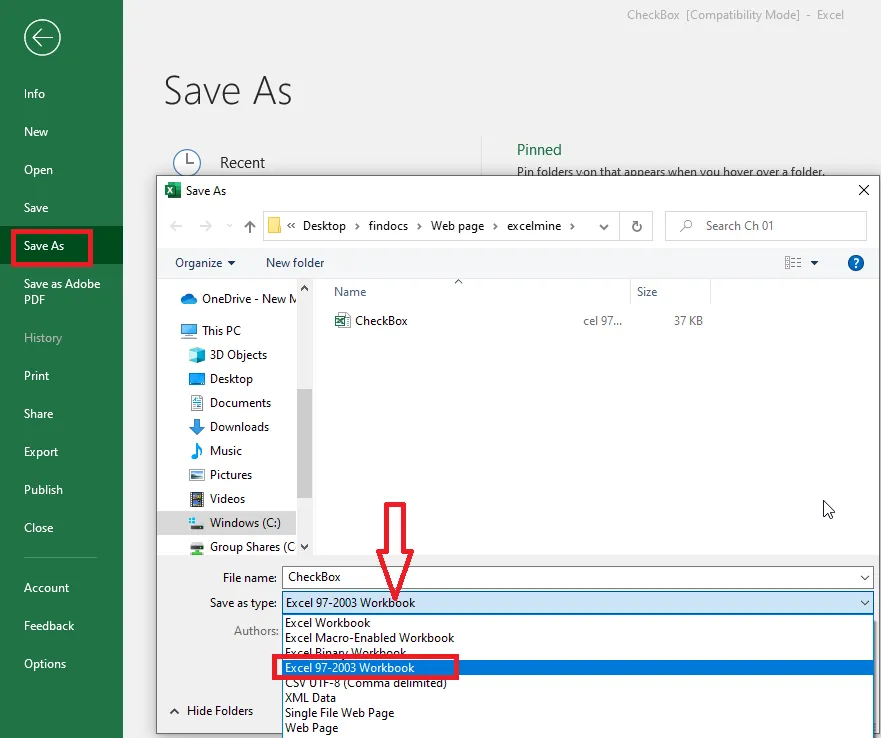
Click File > Save As and choose where to save it.
-
In the file type list, choose Excel 97-2003 Workbook (*.xls).
-
Click Save.
If anything in the workbook isn’t supported by the old format, Excel shows a Compatibility Checker listing what will change, so you can decide whether to continue.
Always save in 97-2003 format
-
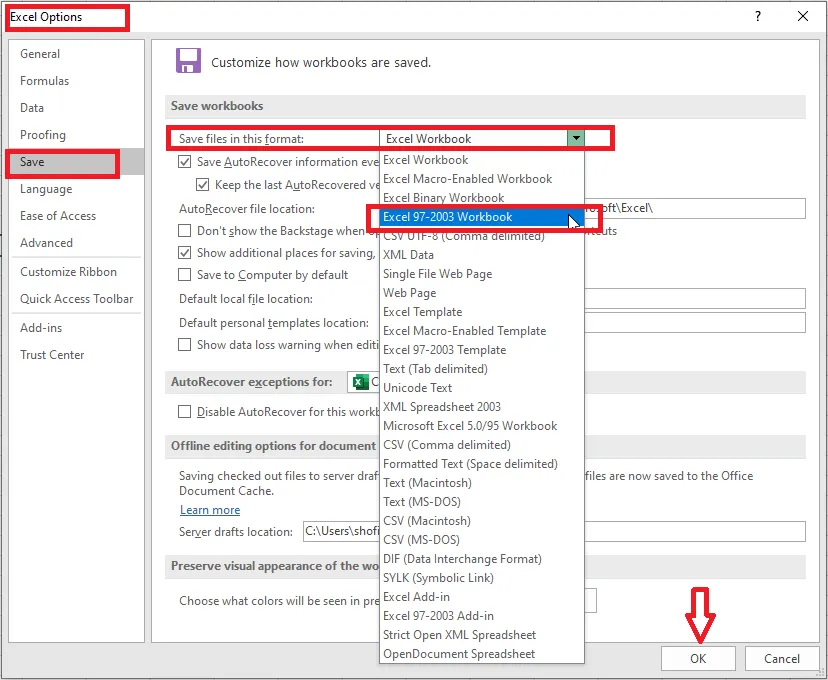
Click File > Options > Save.
-
In Save files in this format, choose Excel 97-2003 Workbook.
-
Click OK.
From now on, new files are saved in the old format by default.
Note: The .xls format has limits: for example, 65,536 rows instead of over a million, and no support for newer features and functions. Use it only when you really need it.