How to View Multiple Workbooks Side by Side
When you need to compare or copy between files, it’s easier to see them side by side. Excel’s Arrange All places all open workbooks on the screen together.
-
Open at least two workbooks.
-
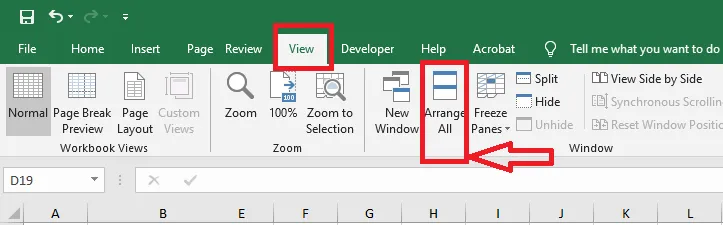
On the View tab, click Arrange All.
-
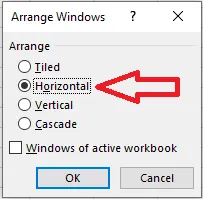
Choose how to arrange them. Here we choose Horizontal.
-
Click OK.
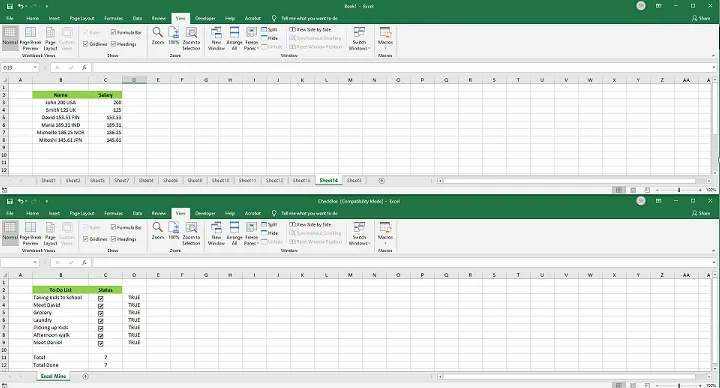
Try Tiled, Vertical and Cascade as well to see which layout suits you.
Tip: To scroll two workbooks together, click View Side by Side and Synchronous Scrolling on the View tab.