How to Calculate a Square Root in Excel
There are two ways to find a square root in Excel: the caret symbol (^) in a formula, or the SQRT function. The caret also works for cube roots and any other root.
Example 1: square root with ^
-
Select cell E3.
-
Type
=D3^(1/2)and press Enter.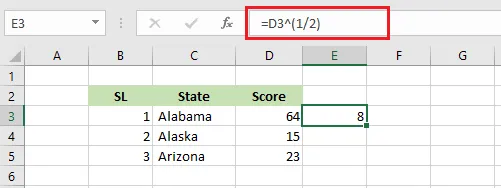
The caret means “to the power of” (type it with Shift + 6). Raising a number to the power ½ gives its square root.
Note: The brackets around
1/2are required. Without them, Excel calculatesD3^1first and then divides by 2.
Example 2: cube root
-
Select cell E3.
-
Type
=D3^(1/3)and press Enter.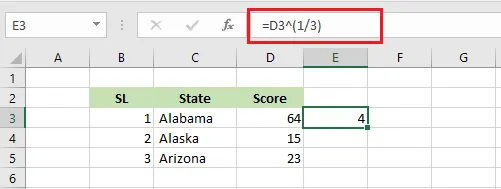
For any other root, change the bottom number: ^(1/4) is the fourth root, and so on.
Example 3: the SQRT function
-
Select cell F3.
-
Type
=SQRT(D3)and press Enter.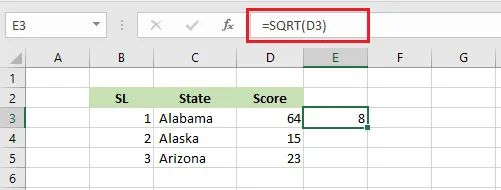
Note: SQRT of a negative number returns the #NUM! error. Use
=SQRT(ABS(D3))if you only care about the size of the number.