How to Mark a Workbook as Final
Mark as Final tells people that a workbook is the finished version and makes it read-only. It discourages changes, but it’s not protection: anyone can click Edit Anyway.
-
Open the workbook (here, Book1).
-
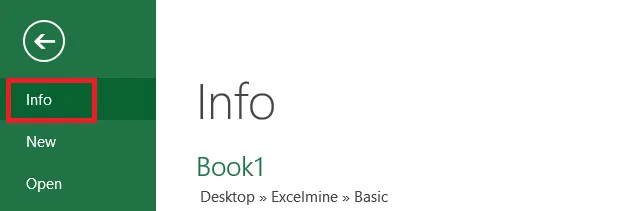
Click File > Info.
-
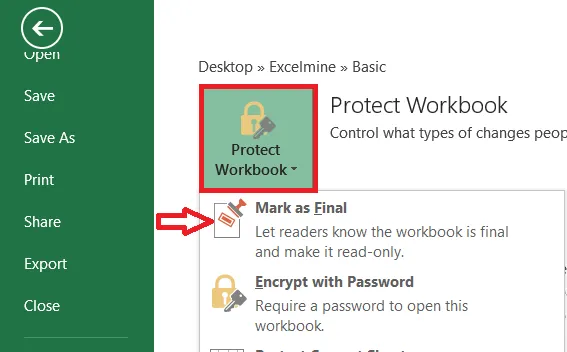
Click Protect Workbook > Mark as Final.
-
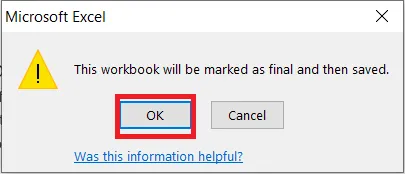
Click OK.
Result: a yellow bar tells anyone who opens the file that it has been marked as final. They can still click Edit Anyway to make changes.
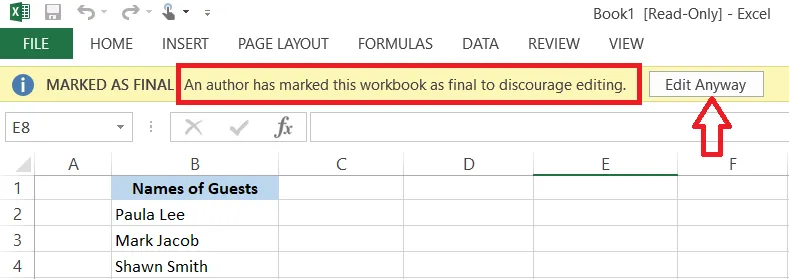
To undo it, click Edit Anyway, or click File > Info > Protect Workbook > Mark as Final again.
Note: To really stop changes, use a password to modify or protect the sheet.