How to Use Superscript and Subscript
Superscript raises characters slightly above the line, as in B². Subscript lowers them, as in H₂O. Here’s how to apply them to part of a cell.
-
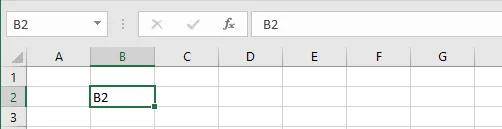
Double-click cell B2 to edit it.
-
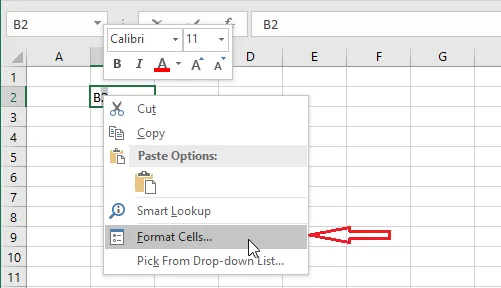
Select the 2, right-click it, and click Format Cells.
-
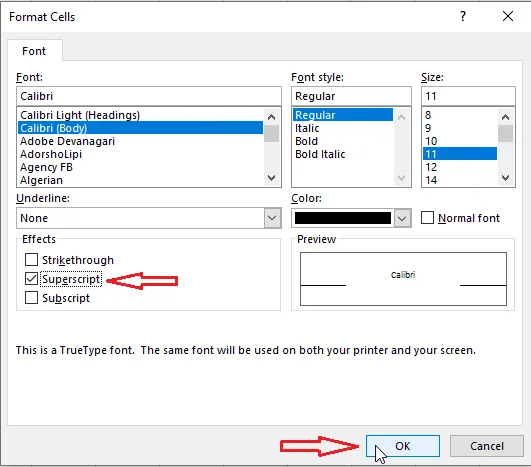
Tick Superscript (or Subscript).
-
Click OK.
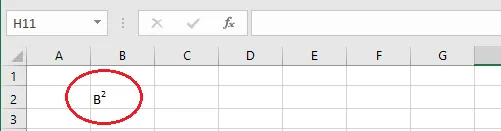
Note: A superscript 2 only looks like “squared”. Excel can’t calculate with it. To square a number in a formula, use the caret:
=5^2returns 25.
Tip: To write full math equations, use Insert > Equation. Equations are display-only objects that float over the sheet; they don’t calculate anything.